enn Boox Page Review
Onyx Boox Page Impressions and Showcase
Setup
- I'm using the Nova Launcher for the minimalist setup, with all unnecessary features and tracking turned off. For Anki and Ankidroid Connect I use swiping gestures on the ttsu shortcut
- I recommend setting up local audio as it speeds up fetching audio and adding cards significantly (and it works when not connected to a network ofc)
- For the sake of speed I adjusted the following settings in yomitan:
- Maximum number of results: 8 (I can count on one hand where I scrolled past the 5th result)
- Text scan length: 20 (I don't recall ever having a string longer than that)
- Text Parsing: off (sentence cards and example sentences in anki are a meme)
- I find it responsive enough for me personally and with the new yomitan update potentially around the corner it'll be even snappier
- I use 14 dictionaries as I find that enough personally
- In ttsu I recommend using the browser db, else it would turn into loading hell (even worse than it is already)
- I like using auto bookmark but I find it weird that it's defaulted to 3s, I rather set a custom time like 10 or 20s in case I wanna scroll through to find something
E-Ink Refresh Speed
- Anki: Speed
- Nova Launcher: Regal (for clean icons, during setup it's better to use speed)
- Kiwi/ttsu: Normal
Impressions
- The Boox Go Color 7 Case works perfectly with the page and I honestly like it more as it has a black instead of an orange inner. The magnets are strong so it feels very secure and putting it in and taking it out is really easy.
- The Side Buttons are very tactile if you hit them close to the inner edge, but if you press them close to the outer edge there is basically no feedback which can make it feel mushy
- With the frontlight turned off it's perfectly readable during the day, even inside. In the following videos it was very cloudy outside too and it felt very comfortable to read still. The frontlight can be adjusted very subtly, so at a low setting it can still feel like it's off while giving an extra boost of brightness imo (inside, during the day). I didn't find it bothersome when it was dark either.
- The customizability, including gestures and side buttons, is really good too
- Reading feels very nice on it, better than a LCD or OLED for sure. I felt like fingerprints on the touchscreen would be an issue but you can't notice them when reading, only when you tilt the device in the light but no one uses it like that..
- I wish there was something inbetween the speed and normal mode. With speed mode it doesn't refresh every page which is nice, but the characters look really bad/pixelated even with a full refresh (see pictures below). Though that is a minor complaint as the refresh on normal is only slight and I got used to it very quickly
- with all my settings, yomitan is really fast most of the time, wouldn't even say noticeably slower than my phone tbh
Showcase
please excuse the video quality idk why my camera is so ass
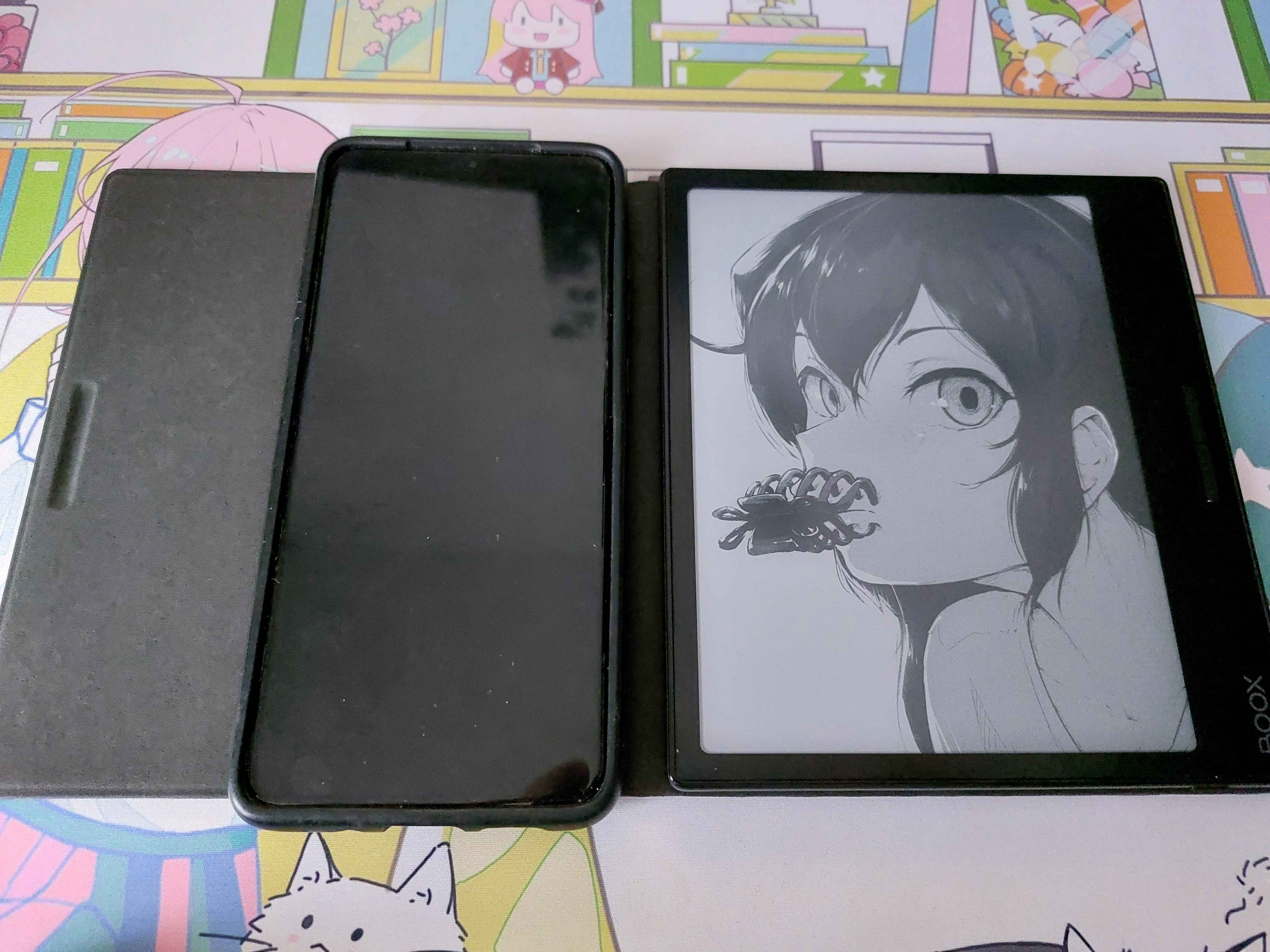
Size
(vs Galaxy S20+ 6.7")
Boot Time
Anki Reviews
- Update: I enabled "Fullscreen mode > Hide the system bars", that way the vertical cards fit perfectly on the screen
Mining Setup
(AnkiDroid Connect -> ttsu)